
Progress & Completion · Source-led
Moon Sweepers Cleaning Progress: Track Areas and Find Missed Dust
Quick answer
Press G to scan the sector you are standing in. The scan shows its five-digit number, its edges and its remaining dust percentage. A region is finished when at most 1% of its starting dust remains. The Moon has 163,842 regions; the overall percentage is not the same as the current sector's percentage.
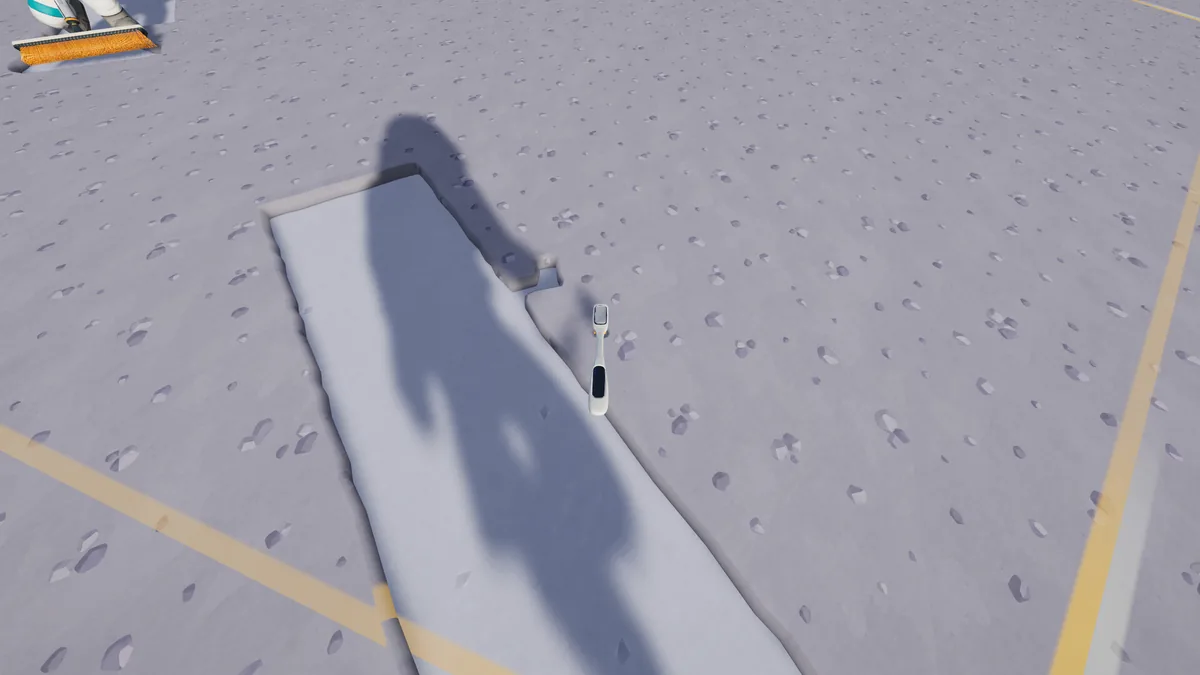
Sector scan
Read the current sector
- 01
Stand on the surface
The region scan is a world action. Stand in the area you want to inspect rather than opening the map while inside the base.
- 02
Press G
The scan shows the sector's edges and how clean it is in percent. It also shows the sector's five-digit number, which is useful when you are comparing notes or navigating back.
- 03
Read the edge line
The outline is the current sector, not a global map grid. Follow it to the corners to find missed dust without sweeping the same strip repeatedly.
- 04
Stop at the 1% rule
A region counts as done when at most 1% of its starting dust remains. The completion payment is $10 before Region Bounty; you do not need to remove every visible fleck.
Terms
Sector, section and region
| Term | What it means here | Where you see it |
|---|---|---|
| Region / sector | One of 163,842 hex areas; the scan shows the one you occupy. | Field Manual, region scan, map. |
| Section | The unit used by several Steam achievements (100 / 1,000 / 10,000). | Achievement text. |
| Moon % | Overall share of regions completed, used by 1% / 10% / 50% / 100% achievements. | Steam achievements; overall progress display. |
| Steam review % | Share of positive store reviews, not cleaning progress. | Steam store page. |
The 1.0.4 data count is 163,842. A launch-week player report used 163,830 sectors in a 13-hour save. The small difference is not explained; use the current in-game scan and map rather than treating either count as a formula for your own save.
Find missed dust
Find unfinished dust
- Scan with G at the edge of your last clean strip. The sector outline shows the side you have not crossed.
- Sweep in lanes that overlap slightly. Wide Heads and Deep Heads reduce the chance of leaving a thin strip between passes.
- Use a vehicle with a wider suction mode for broad areas, then finish the border on foot.
- Open the map and right-click to set a waypoint, focus or teleport. All robots appear on the 1.0.4 map with their current activity.
- Send a robot vacuum to the hexes around its dock. The dock panel shows what it is doing and when its bin is full.
- Do not rely on the Steam review percentage as a progress number. Steam reviews and Moon completion are unrelated metrics.
Crew and saves
Crew participation and saved totals
In co-op, the crew plays on the host's save. Patch 1.0.4 reworked ground synchronization so everyone sees the same cleaned ground, including robot trails. If a crewmate sees dust reappear, first check that everyone is on the same version; the old desync is not the intended 1.0.4 behavior.
The shared wallet means a completion payment goes to the crew even when one player finished the region. The Region Bounty is more restrictive: the current data says the bonus is added only for a region credited to a player, while a region credited to the whole crew pays the $10 base.
Straight answers
Questions about this task
How do I check cleaning progress in Moon Sweepers?
Press G while standing in a sector to see its edges and percentage. Overall Moon progress is a separate total shown by the base/Field Manual and the 1% / 10% / 50% / 100% achievements.
Why did a region count as done before every speck was gone?
A region is done when at most 1% of its starting dust remains. That is the completion rule, not a visual estimate.
How do I find one missed patch?
Scan the region to see its outline, then sweep the edge and the gaps between previous lanes. The map's waypoints and robot activity can narrow the search; there is no documented global “remaining dust” list.
Trace the answer
Sources and scope
This is an independent, source-led guide, not a first-hand playtest. Gameplay values, build-menu details and UI behavior are checked against the 1.0.4 data snapshot and official patch notes. Your installed build is the final authority.
- Reference Wikily: Moon regions and cleaning progress Moon Sweepers 1.0.4 data index, checked 28 Oct 2026. Useful for build-menu values; not an official developer page.
- Reference Wikily: Controls Moon Sweepers 1.0.4 data index, checked 28 Oct 2026. Useful for build-menu values; not an official developer page.
- Reference Wikily: Waypoints and teleporting Moon Sweepers 1.0.4 data index, checked 28 Oct 2026. Useful for build-menu values; not an official developer page.
- Official Moon Sweepers on Steam Official store description, release date, modes and requirements. Checked 28 Oct 2026.
- Community Steam discussion: progress and endgame 25–26 Oct 2026 player reports on progress scale.